Jhuk Tech News

Recent

Migrating my blog from WordPress to AWS with Hugo, Terraform, and Claude Code

·5 mins

For years this blog lived on a traditional WordPress install behind a cPanel host. It served me well, but it also carried everything that comes with running WordPress on the open internet: a database to babysit, a PHP runtime to patch, plugins to keep current, and a login page that the entire internet loves to brute-force. As my interests shifted further into cloud and DevOps, I wanted my own site to reflect the way I now think about infrastructure—version-controlled, reproducible, and static by default.

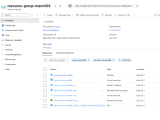
Using Azure infrastructure to deploy Ubuntu VM and Nginx web server with NSG firewall rules

·2 mins

In the field of Cybersecurity and DevOps, there is no substitute for hands-on experience with cloud infrastructure. To further my own practice, I have recently started diving into the Microsoft Azure ecosystem. It’s an excellent sandbox for learning with $100 in credits and 750 hours of B1s compute, you have exactly what you need to keep a single VM instance running 24/7 while you experiment.

For this project, I set out to deploy a custom Nginx web server on a Linux VM. Here is a breakdown of the configuration and the logic behind my deployment.

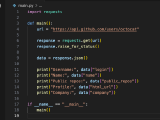
Using Python to call public GitHub API and convert JSON into Dictionary object

·2 mins

I use Python locally within Visual Studio Code to call a public API. The goal of this exercise is not only to make a successful HTTP request, but also to understand the individual parts of a small Python script that interacts with a real internet service.

A good beginner API for this type of project is the GitHub REST API. This API is useful because it allows new developers to practice with real-world data while learning concepts that commonly appear in professional software development. These concepts include HTTP status codes, JSON responses, environment variables, API tokens, error handling, and storing project dependencies in a local virtual environment.

Cross-Site Scripting (XSS) Variants and Examples

·3 mins

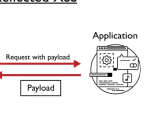
All modern websites consist of at least 3 fundamental components: HTML, CSS, and JavaScript. HTML creates structure, CSS is used for styling, and JavaScript enables interactive user experiences through manipulation of the DOM (Document Object Model). JavaScript however, can also be used by malicious actors to access sensitive information on the client-side. One major category of web application vulnerabilities is known as cross-site scripting (XSS). This vulnerability occurs precisely due to any malicious user’s ability to inject JS code into a vulnerable website. If proper security controls are not implemented, this vulnerability makes it possible for an attacker to read and steal an end-user’s cookies and session information that otherwise should be private and confidential.

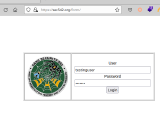
Fuzzing Forms-Based Authentication Reveals Working Username and Password

·4 mins

In this lab exploring HTML forms-based authentication, I use Burp Suite to fuzz a username of interest to discover a valid password combination. “Fuzzing” in the context of web application security means any automated attempt to inject a large number variables into any field that accepts user input. The tester then monitors the application for unexpected behavior or unusual results that may indicate the presence of a vulnerability. Possibilities for fuzzing input ranges from common usernames, passwords, URLs, sensitive data patterns, executable shell commands and SQLi payloads. SecLists is a well-known repository that maintains wordlists for each of these mentioned categories. The choice of which wordlist to use depends on the context of the input field and what category of vulnerability the tester suspects may exist within the application.